How to Track Brand Visibility in AI Search via API in 2026
A lot of buying decisions now start inside an AI assistant. Someone types "what are the best CRM tools" into ChatGPT, reads the three names it lists, and never opens a search engine. If your brand is not in that answer, you were skipped before the buyer even knew you existed.
The old way to check this was to open ChatGPT, then Claude, then Gemini, then Perplexity, and read each answer yourself. That works once. It does not work when you have twenty prompts and four engines and you want to run them every week.
Trackee runs the prompt across every engine for you and hands back structured data. One call tells you which assistants mentioned your brand, where it appeared, and what sources they leaned on. This post walks through the AI Visibility endpoint from the first request to tracking results over time.
If you just want to see where you stand before touching any code, run one prompt in the free AI visibility checker. It works right in the browser, no account or key needed.
What you need
- A free Trackee account. The free plan has enough credits to test everything here.
- An access key from your dashboard.
- The
x-access-keyheader on every request. That is how Trackee authenticates you.
That is the whole setup. No SDK, no OAuth dance, just an HTTP call with one header.
Step 1: Get your API key
Log into your dashboard and open the API keys section. Create a key and copy it somewhere safe, because the full value is only shown once. This key goes in the x-access-key header on the requests below. Treat it like a password and keep it off the client side.
Step 2: Run a visibility check
Here is the core request. You send a brand, a prompt, and the list of engines you want to check.
curl -X POST https://api.trackee.dev/v1/visibility \
  -H "x-access-key: YOUR_API_KEY" \
  -H "Content-Type: application/json" \
  -d '{ "brand": "Salesforce", "prompt": "What are the best CRM software tools?", "engines": ["chatgpt", "claude", "gemini", "perplexity"] }'
Trackee sends that prompt to each engine, reads the answer, and checks whether your brand showed up. Here is what comes back.
{
  "success": true,
  "credits": { "charged": 12, "remaining": 4988 },
  "data": {
    "brand": "Salesforce",
    "prompt": "What are the best CRM software tools?",
    "mentioned_in": ["chatgpt", "claude", "gemini", "perplexity"],
    "results": [
      {
        "engine": "chatgpt",
        "model": "gpt-4o-mini",
        "mentioned": true,
        "position": 1,
        "sources": []
      }
    ]
  }
}
Let me walk through the important fields.
mentioned_in is the quick answer. It is a list of the engines that named your brand at all. If you only want a yes or no per engine, this is the field to read. In the example above Salesforce showed up in all four.
results is the detailed breakdown, one entry per engine you asked for. Inside each entry, engine tells you which assistant this row is about and model tells you the exact model version that produced the answer, like gpt-4o-mini. That matters because answers drift between model versions, and you want to know what generated the result you are looking at.
mentioned is the boolean for that single engine. position is where your brand landed in the answer, so a position of 1 means it was the first tool named, which is the spot you want. sources lists the URLs the engine cited to back up its answer. Perplexity and some ChatGPT modes cite sources, so this array shows you which pages fed the recommendation. When it is empty, the engine answered from its own knowledge without pulling live citations.
One note on cost. Each engine you check costs 3 credits. Four engines is 12 credits, which is exactly what credits.charged reports in the response. credits.remaining shows what you have left so you can watch your balance without a separate call.
Pick your engines
You do not have to hit all four every time. The engines array takes any subset, so if you only care about ChatGPT this week, pass just that one.
curl -X POST https://api.trackee.dev/v1/visibility \
  -H "x-access-key: YOUR_API_KEY" \
  -H "Content-Type: application/json" \
  -d '{ "brand": "Salesforce", "prompt": "What are the best CRM software tools?", "engines": ["chatgpt"] }'
That request charges 3 credits instead of 12. This is the easy lever for spending less. Run your full prompt set against one engine daily, then do the full four-engine sweep weekly. You get frequent signal on your priority engine without burning credits on all four every run.
Build a prompt set that matters
A visibility check is only as good as the prompt you feed it. "Is Salesforce good" is not what buyers actually type, so testing it tells you very little. You want prompts that mirror real buyer intent.
Three types cover most of the ground:
- Category discovery, like "what are the best CRM tools for a small sales team". This is the top of the funnel, where a buyer does not know the players yet and the assistant is basically writing your shortlist for you.
- Comparisons, like "Salesforce vs HubSpot for a startup". These catch buyers who are already deciding between named options, and you want to know if you are in that conversation.
- Alternatives, like "alternatives to HubSpot". These are gold, because someone searching for alternatives is unhappy with a competitor and ready to switch.
Keep the set small and specific. Ten prompts that match how your customers actually talk beats a hundred generic ones. Write them the way a real person would ask, phone in hand, mid decision.
Track it over time
A single check is a snapshot. The useful signal comes from watching it move. An engine that named you at position 1 in March might drop you to position 4 by June after a model update, and you want to catch that.
Save your brands and prompts once with the Brand Tracking API, then schedule the checks so they run without you. Each run adds a row to your history, so you build a timeline of position and mentions per engine. That is how you tell a real trend from a one-off answer, and how you prove that the content work you did actually changed how the models talk about you.
You do not have to check the history yourself either. Wire up the AI visibility alerts API and Trackee tells you the moment an engine drops you or a competitor edges in.
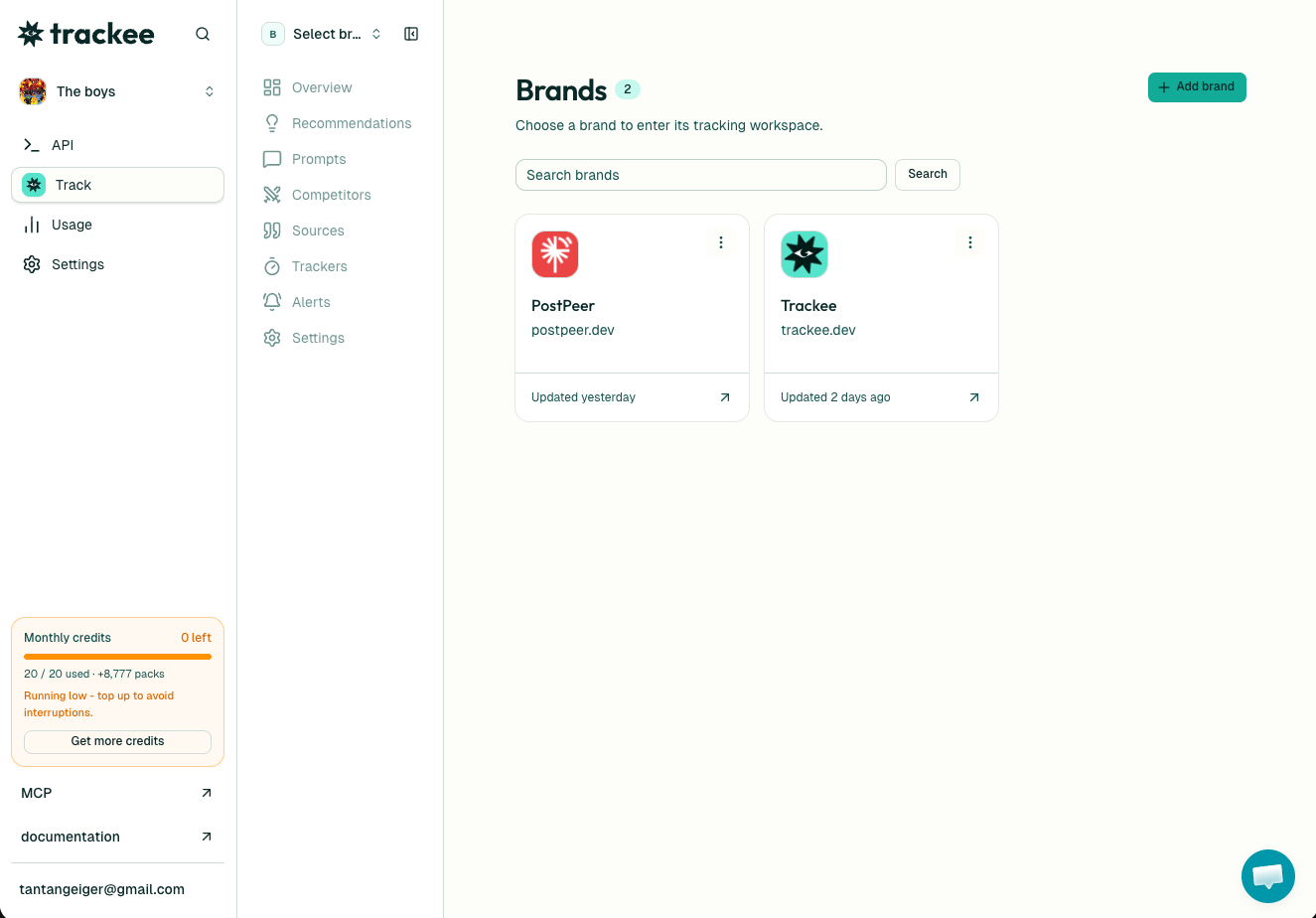
Prefer to skip the code entirely? The same tracking lives in the dashboard, where you set up brands, prompts, and schedules by clicking. Agencies use that view to keep an eye on visibility across every client brand from one place.
Pair that history with your search data too. Rankings and AI mentions are different signals, but they feed each other, which is the whole point of SEO and GEO working better together.
What's next
You now have everything to check whether the assistants your buyers trust are recommending you. Start with one prompt and one engine, read the results, then widen from there.
- Read the full AI Visibility API page for every parameter and edge case.
- Keep the API reference open while you build. It has the complete schema for every endpoint.
- Grab the free plan if you have not already. It is enough credits to run a real prompt set and see where you stand before you commit to anything.
- Point your AI agent at the Trackee MCP server and it can pull these visibility numbers for you in plain language, no endpoint to remember.
Run one check today. Whatever the answer is, it is better to know than to guess.